mirror of
https://github.com/10h30/endeavouros-i3wm-setup.git
synced 2026-07-11 18:55:54 +09:00
 Johannes Kamprad
136 lines
5.3 KiB
Markdown
136 lines
5.3 KiB
Markdown
|
|
|
|
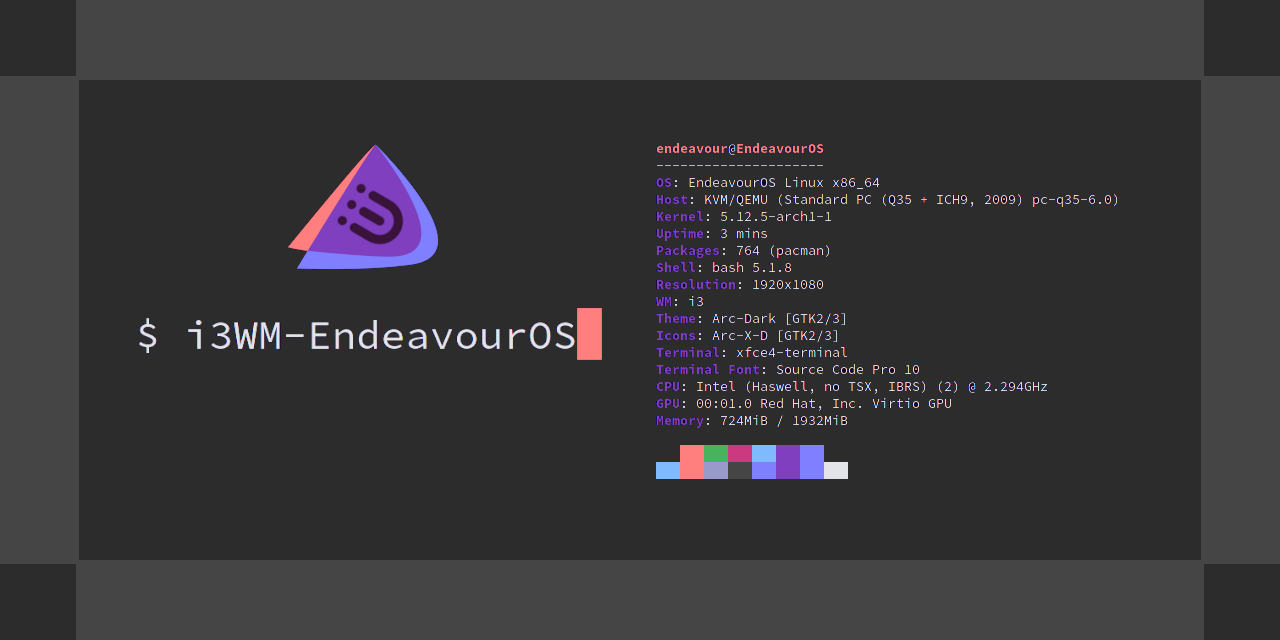
# endeavouros-i3wm-setup
|
|
**maintainer: joekamprad ---> setup for i3-wm under [EndeavourOS](https://endeavouros.com) new config 01-2021 <---**
|
|
|
|
[]()
|
|
|
|
# Tutorial for i3-wm settings:
|
|
* background handled by [nitrogen](https://wiki.archlinux.org/index.php/nitrogen)
|
|
* gtk3 theme handled by [lxappearance-gtk3](https://wiki.lxde.org/de/LXAppearance)
|
|
* Filebrowser = [Thunar](https://docs.xfce.org/xfce/thunar/start)
|
|
* default Terminal-Emulator = [xfce4-terminal](https://docs.xfce.org/apps/terminal/start)
|
|
* Text-Editor = [xed](https://github.com/linuxmint/xed)
|
|
* [dex](https://github.com/jceb/dex) : autostarting apps from /etc/xdg/autostart/ (*)
|
|
* Notifications are done with [dunst](https://dunst-project.org): CONFIG FILE = ~/.config/dunst/dunstrc
|
|
|
|
**dex is commented in config, if you want autostarting like on a DE simply uncomment the line:**
|
|
|
|
`exec --no-startup-id dex -a -s /etc/xdg/autostart/:~/.config/autostart/`
|
|
|
|
inside `~/.config/i3/config`.
|
|
|
|
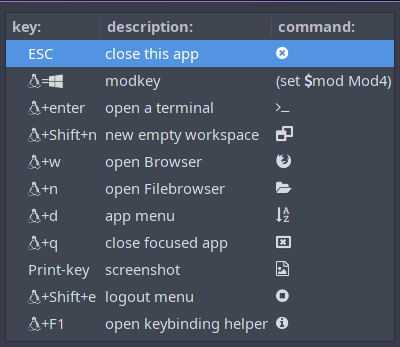
# Main shortcuts:
|
|
[mod] key is set to the winkey (or should i call it linkey?)
|
|
|
|
<img src="https://raw.githubusercontent.com/endeavouros-team/screenshots/master/linkey.png" alt="drawing" width="250"/>
|
|
|
|
|
|
|
|
# default i3-wm keycodes:
|
|
https://i3wm.org/docs/userguide.html#_default_keybindings
|
|
|
|
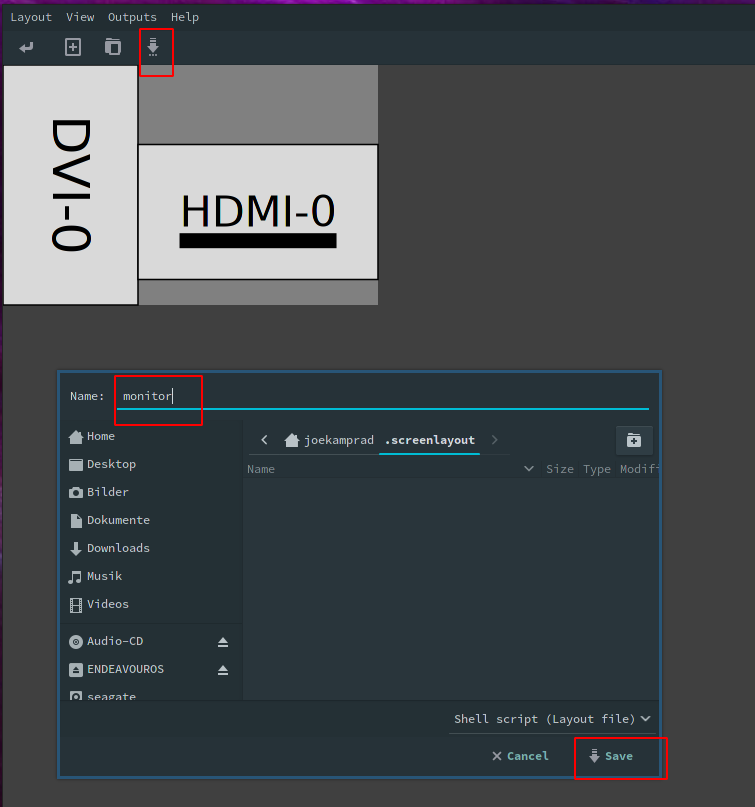
# Display setup with arandr
|
|
|
|
* open arandr and setup display/s as you need.
|
|
* save the setup from arandr menu or button exactly with filename `monitor`.
|
|
---> on i3 EndeavourOS we have a starter line in the ~/.config/i3/config
|
|
|
|
```
|
|
# start a script to setup displays
|
|
# uncomment the next line, use arandr to setup displays and save the file as monitor:
|
|
exec --no-startup-id ~/.screenlayout/monitor.sh
|
|
```
|
|
this will handle to set display on each login.
|
|
|
|
|
|
# Tiling:
|
|
is set to default for i3wm and can be changed to:
|
|
* stacking:
|
|
Only the focused window in the container is displayed. You get a list of windows at the top of the container.
|
|
|
|
* tabbed:
|
|
so each new window will open fullscreen as a tab, you can change between window-tabs with mouse or shortcut:
|
|
[mod]+**Left** focus left (left arrow key)
|
|
[mod]+**Right** focus right (right arrow key)
|
|
|
|
# i3blocks:
|
|
* pulseaudio (mousewheel volume level, rightclick open pulseaudio control)
|
|
* weather (openweather you need to get city code and apikey first [adding it to ~/.config/i3/scripts/openweather.sh])
|
|
get your api key here: https://openweathermap.org/appid and City code: https://openweathermap.org/find?q= (search your city and take the city code from the url in your browser [7 numbers at the end of the url])
|
|
* tray-icons (showing network-manager and update-icon)
|
|
* logout button (poweroff, logout, suspending, hibernate e.t.c.)
|
|
|
|
# panel bar (i3-blocks):
|
|

|
|
* CONFIG FILE = ~/.config/i3/i3blocks.conf
|
|
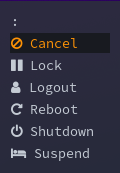
# Logout Menu (rofi):
|
|
|
|
* CONFIG FILE = ~/.config/i3/scripts/powermenu
|
|
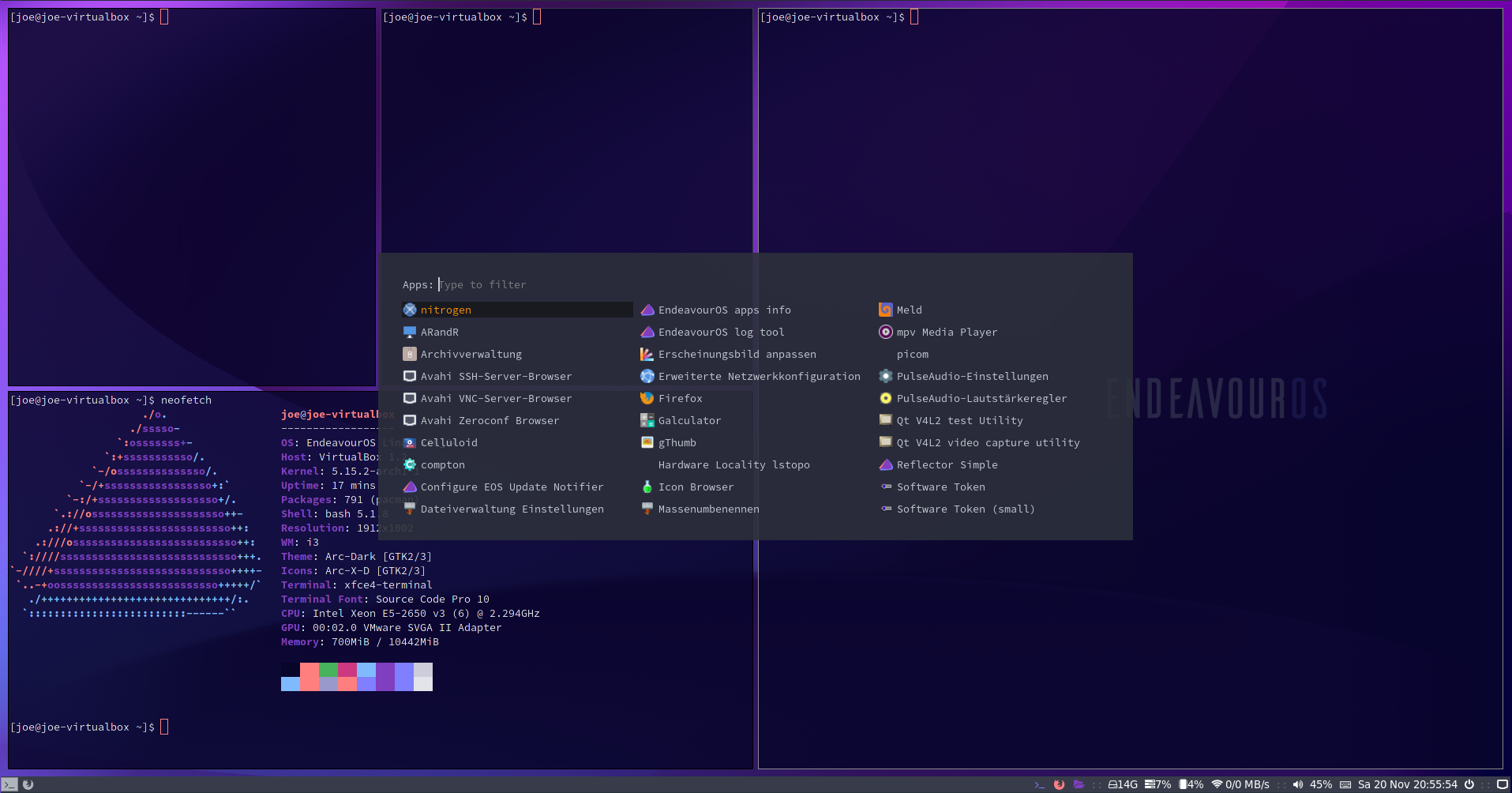
# application menu (rofi):
|
|
|
|
* rofi color-schemes: ~/.config/rofi/arc_dark_transparent_colors.rasi
|
|
|
|
## theming/colorsheme for rofi menus (application menu and Logout menu):
|
|
|
|
They can be adjust and chenged inside ~/.config/rofi directory:
|
|
|
|
**Configurations for the menus:**
|
|
|
|
* `~/.config/rofi/rofidmenu.rasi`
|
|
* `~/.config/rofi/powermenu.rasi`
|
|
|
|
**colorschemes:**
|
|
|
|
* `~/.config/rofi/arc_dark_transparent_colors.rasi`
|
|
* `~/.config/rofi/arc_dark_colors-ori.rasi`
|
|
|
|
colors are in rgba calling transparency in the last colum:
|
|
|
|
`rgba ( 26, 28, 35, 100 % )`
|
|
|
|
|
|
|
|
# Tutorial to install EndeavourOS-i3 setup from scratch
|
|
**for later installs, if you have installed another DE on initial install from the ISO**
|
|
|
|
1. get the dot files
|
|
2. copy files to the right directories (.config of your user):
|
|
3. copy scripts inside ~/.config/i3/scripts must be executable ! [chmod +x] them please ;)
|
|
4. install needed packages
|
|
|
|
`git clone https://github.com/endeavouros-team/endeavouros-i3wm-setup.git`
|
|
|
|
`cd endeavouros-i3wm-setup`
|
|
|
|
`cp -R .config/* ~/.config/`
|
|
|
|
`chmod -R +x ~/.config/i3/scripts` (make scripts executable)
|
|
|
|
`dbus-launch dconf load / < xed.dconf` (setup xed-editor)
|
|
|
|
If you have the old EndeavourOS default i3-setup installed you need to remove .Xresources file
|
|
(old color profile not used anymore for rofi menus):
|
|
`rm ~.Xresources`
|
|
|
|
**install needed apps and programms for i3wm:**
|
|
We do use now the default packages lists repo for all packages lists:
|
|
|
|
`wget https://raw.githubusercontent.com/endeavouros-team/EndeavourOS-packages-lists/master/i3`
|
|
`sudo pacman -S --needed - < i3`
|
|
|
|
## or use the `i3.sh`:
|
|
|
|
`wget https://raw.githubusercontent.com/endeavouros-team/endeavouros-i3wm-setup/main/i3.sh`
|
|
|
|
|
|
## warning this will may overwrite existing files!
|
|
|
|
---
|
|
|
|
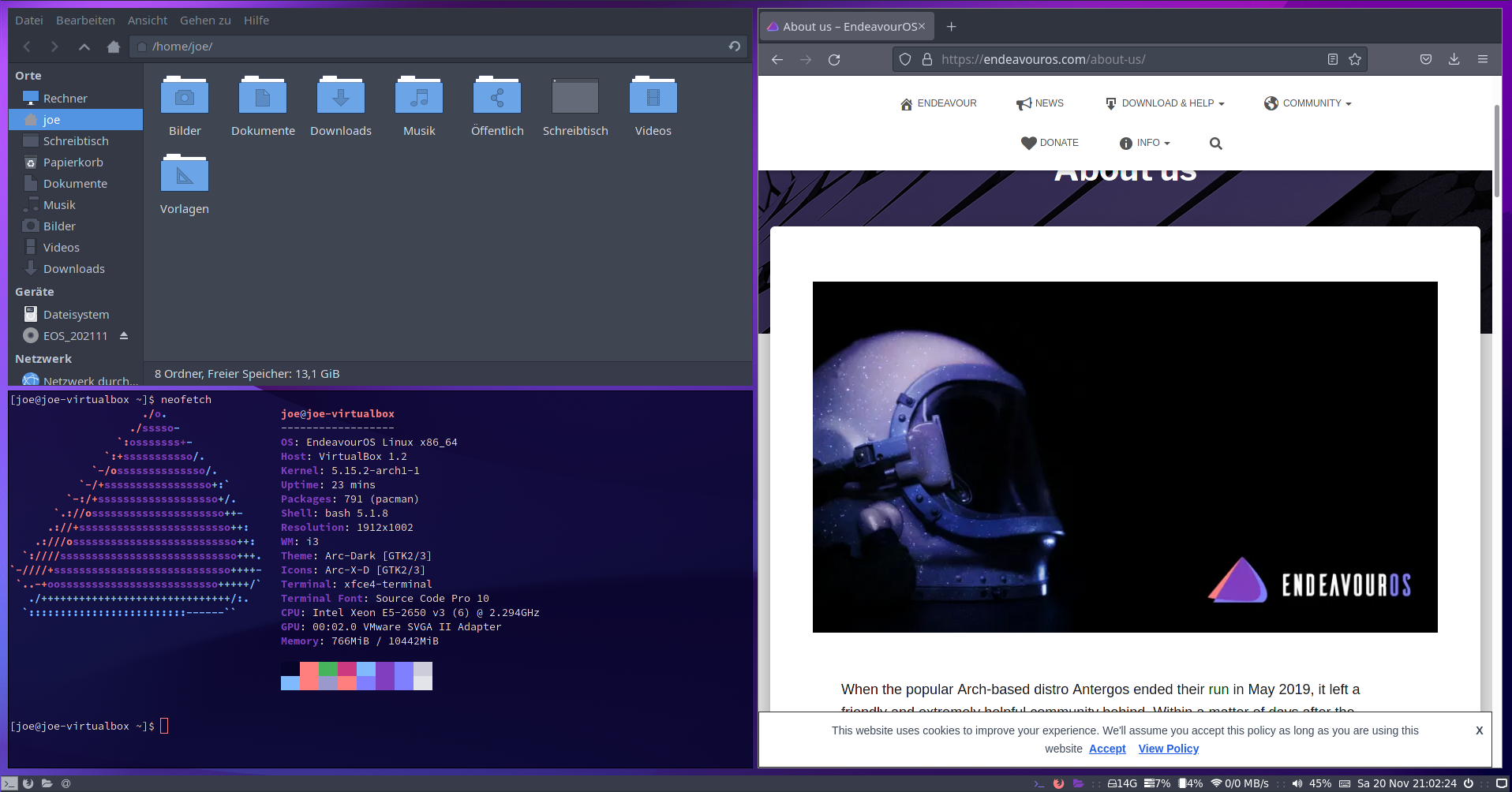
# screenshot:
|
|
|
|
|
|
|
|
|